


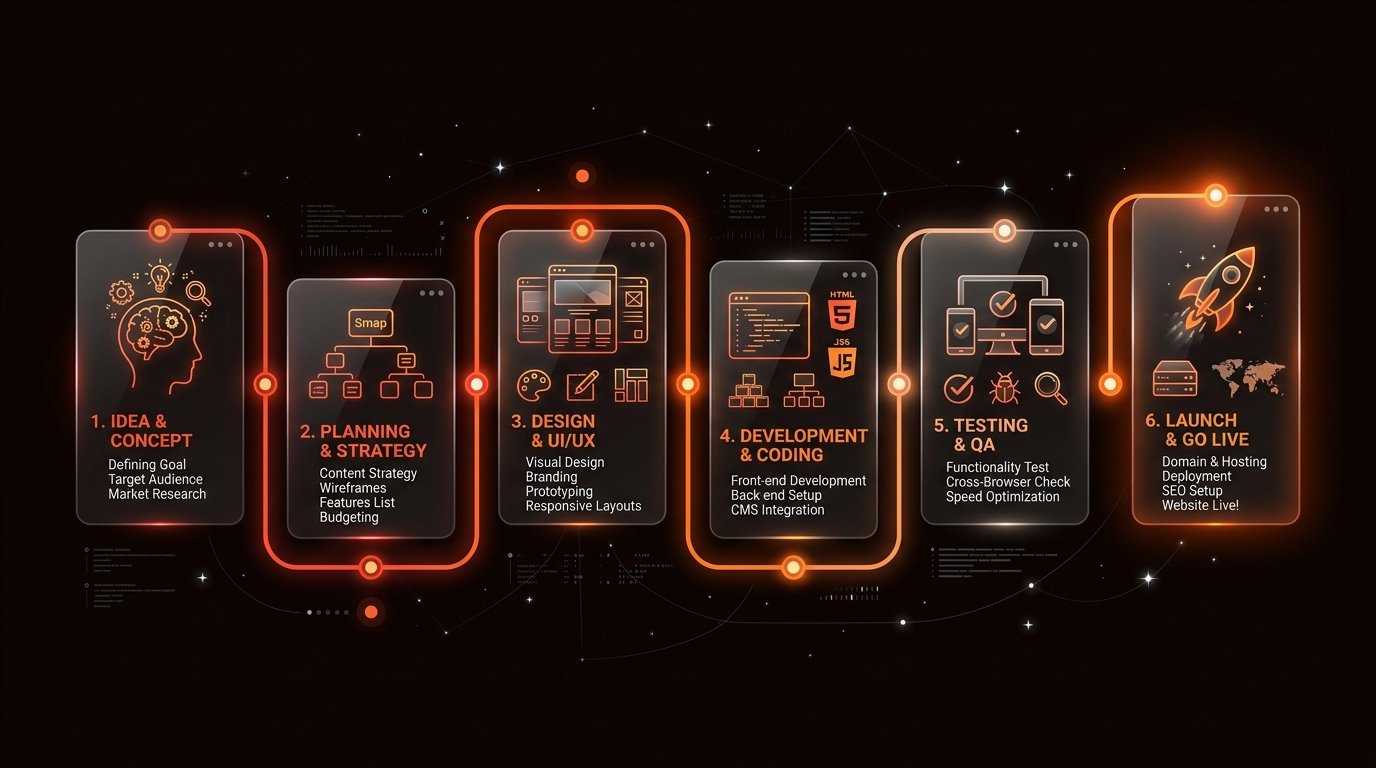
For most business owners, embarking on a web project feels mysterious. You know you need an online presence to look credible and attract clients, but you might wonder: What actually happens behind the scenes when I hire a web developer? What will they ask me for? And how long does each phase take?
Too many client projects drag on for months or go over budget because there is no defined roadmap. When the website development process is structured, building a business website is predictable, collaborative, and straightforward.
In this guide, we break down the entire website development lifecycle into 12 clear steps. Whether you are building your very first company site or upgrading an outdated one, this walkthrough gives you the confidence to collaborate effectively with your web designer or developer.
Direct Overview of the Website Creation Process
At a high level, the professional business website development process moves through four main phases:
- Discovery & Planning (Steps 1–4): Understanding your business, agreeing on goals, structuring pages, and preparing content.
- Design (Step 5): Creating the visual layout, typography, and interactive components.
- Development & Optimization (Steps 6–8): Coding the site, making it responsive across all screens, and adding search engine fundamentals.
- Testing, Review & Launch (Steps 9–12): Rigorous quality assurance, client feedback, domain launch, and post-launch maintenance.
Step 1: Understand the Business
The foundation of any successful website project does not start with code or colors. It starts with discovery and listening.
Before touching a design tool, a skilled website developer must understand your business model. During this kickoff phase, you and your developer explore:
- Who your ideal customers are: What questions do they have? What problems are they trying to solve when they find you?
- What services or products you sell: Which offerings are the most profitable, and which need prominent placement?
- Your market positioning: What sets your company apart from local competitors?
- Primary user action: What should a visitor do immediately after reading your page? (Call your office, submit a quote request form, or book a consultation?)
Without this discovery step, developers end up building generic templates that look nice but fail to convert visitors into paying clients.
Step 2: Define the Website Goals
Once your business context is clear, the next milestone in the website project process is setting concrete objectives and defining project scope.
Not every business needs the same type of site. Are you looking to:
- Establish instant legitimacy and trust for word-of-mouth referrals?
- Rank on Google for local service searches?
- Serve as a focused landing page for paid advertising campaigns?
- Automate client enquiries and qualify inbound leads?
Defining clear goals upfront prevents "scope creep"—the common trap where unplanned features get added mid-project, inflating costs and delaying timelines. To see why defining your business objectives early matters, read our guide on How Can a Website Help My Business?.
Step 3: Plan the Website Structure
Before writing a single paragraph or selecting images, the developer maps out the website architecture—commonly called a sitemap.
A sitemap outlines which pages will exist, how they link together, and how visitors navigate from top-level categories to specific service details.
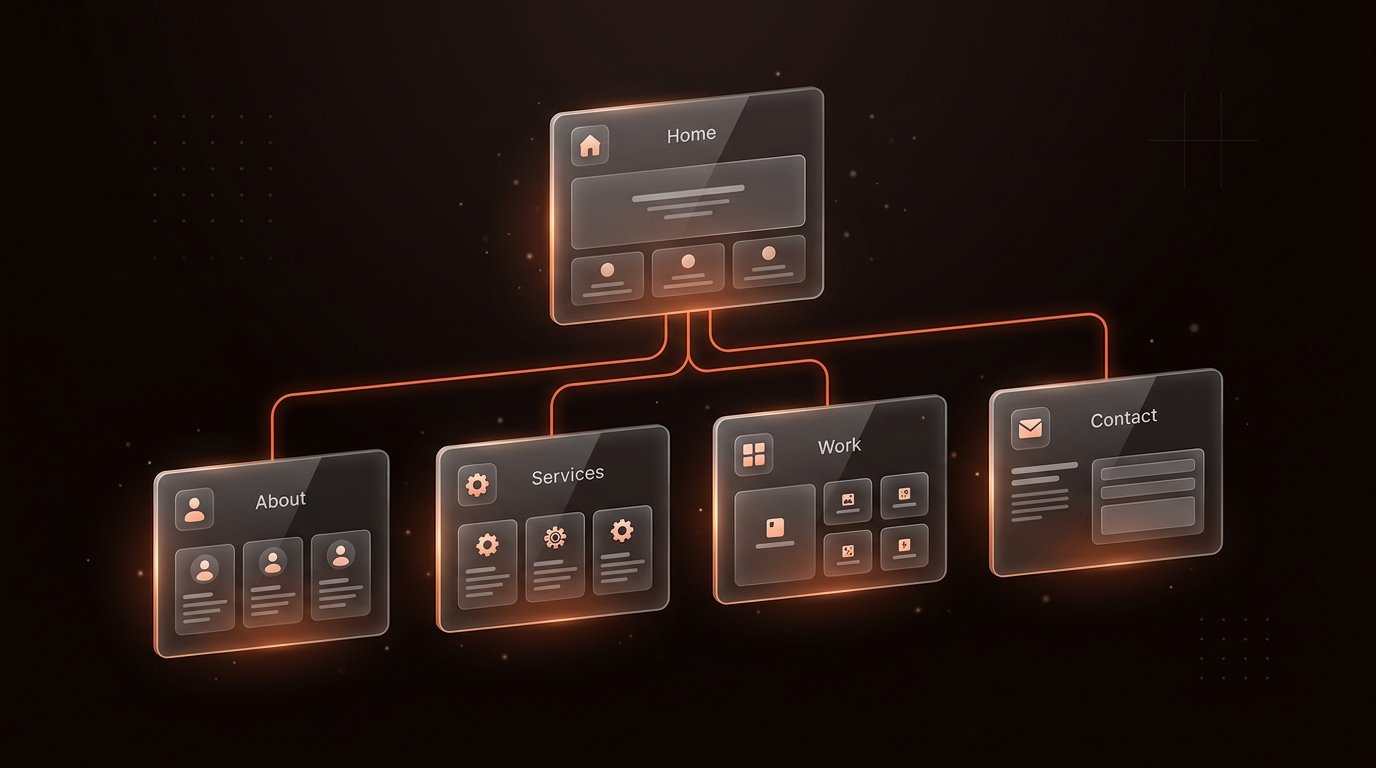
For a standard business website, this typically includes:
- Homepage: An engaging summary of what you do, who you serve, and proof of your expertise.
- Services / Products: Dedicated subpages detailing each offering and its specific benefits.
- About / Company: Your background, credentials, and values that build human connection.
- Case Studies / Work: Real examples of past client projects and measurable results.
- Contact: Direct contact methods, enquiry forms, and location details.
If you want to explore how we structure client workflows and architecture, check our transparent Client Process page.
Step 4: Prepare Content
Here is an industry secret: content delays are the number one reason website projects stall.
Your website’s copy (headlines, body text, service descriptions) and brand assets (logos, photography, certificates) are the substance of your site. Beautiful design cannot rescue vague or confusing words.
During this stage, you and the developer collaborate to gather:
- Clear headlines: Value propositions that explain what you do in five seconds.
- Descriptive service copy: Clear breakdowns answering what is included, who it is for, and how it works.
- Authentic media: Real photos of your team, facility, or completed jobs rather than generic stock photos.
- Social proof: Client reviews, testimonials, and industry badges.
For a practical checklist on preparing these assets, consult our walkthrough on How to Make a Website for Your Business.
Step 5: Design the Website
With the content outline in place, visual design begins. The website design process translates strategy and copy into an engaging visual interface.
Rather than jumping directly to final layouts, professional design moves through intentional stages:
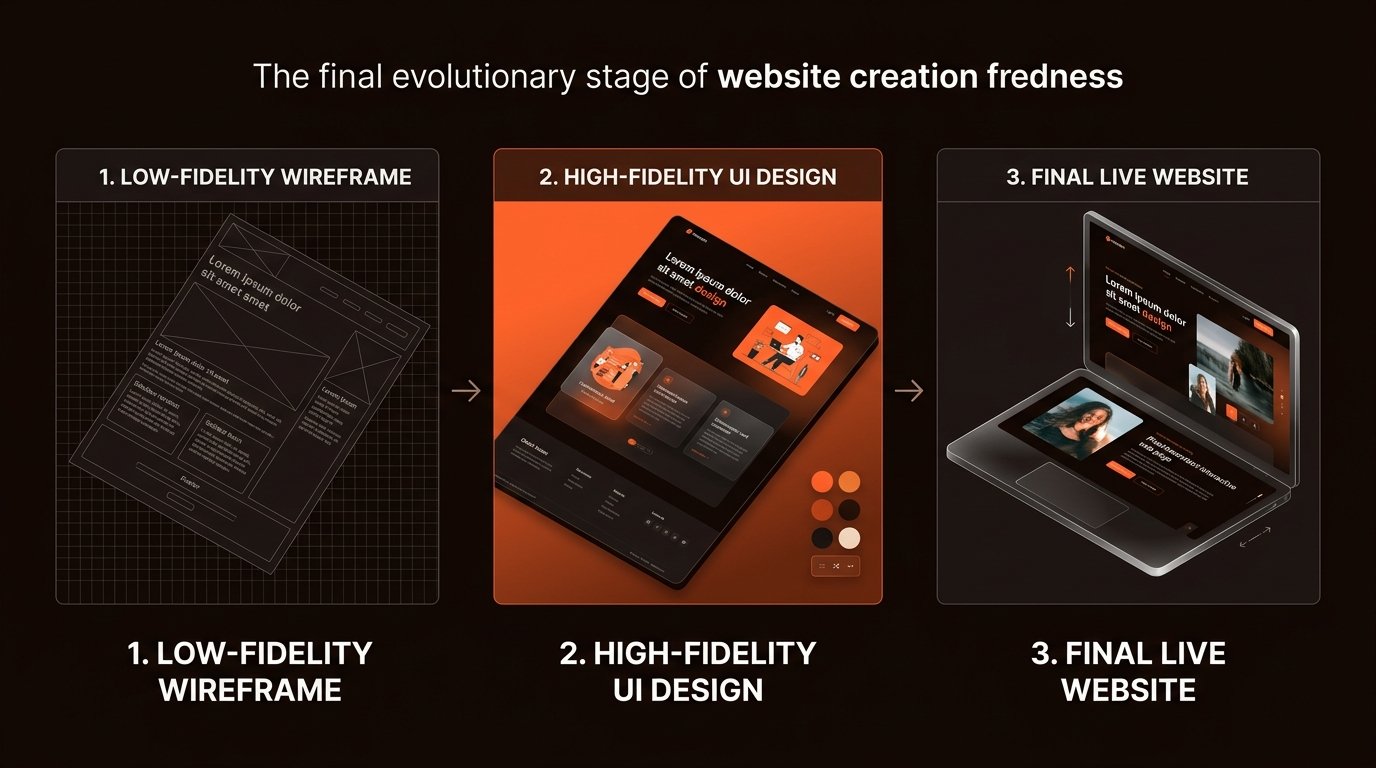
- Wireframes: Simple structural layouts establishing content hierarchy, button positions, and visual balance without color distractions.
- Design System: Curating cohesive typography, brand colors, button styles, and card containers that reflect your industry.
- High-Fidelity Mockups: Complete page mockups showing exactly how headings, images, forms, and brand accents interact.
During this step, you review the visual direction and provide feedback before any development code is written, saving substantial time and avoiding costly rewrites.
Step 6: Develop the Website
Once design mockups are approved, the build phase begins. This is where static layouts are transformed into a living, responsive, and functional website.
During development, the developer:
- Translates Figma or visual designs into clean HTML, CSS, and JavaScript, or builds within modern visual platforms like Framer or WordPress.
- Builds dynamic interactive elements: smooth navigation menus, expandable FAQ accordions, and interactive tabs.
- Connects form endpoints to your business email or CRM so customer leads arrive instantly.
If you are deciding between platforms for your project, our in-depth comparison of Framer vs WordPress breaks down the pros and cons of visual design tools versus traditional content management systems. For a real-world example of modern development, review our Hansraj Solutions case study.
Step 7: Make It Mobile-Friendly
Over 60% of web traffic today occurs on mobile devices. A website that looks great on a desktop monitor but breaks on a smartphone will instantly lose potential customers.
Responsive design is not an afterthought; it is an integral part of modern web standards:

Key mobile adjustments include:
- Touch-friendly targets: Sizing buttons and phone links so thumbs can easily tap them without misclicking.
- Fluid typography: Ensuring text remains readable without requiring pinching or horizontal scrolling.
- Streamlined mobile navigation: Implementing clean overlay menus that keep visitors oriented.
Step 8: Add Basic SEO
Building a great site is only half the battle; people also need to be able to find it. Step 8 implements on-page search engine optimization (SEO) fundamentals:
- Title Tags & Meta Descriptions: Writing unique, compelling descriptions for each page that show up in Google search results.
- Semantic Heading Hierarchy: Using proper
<h1>,<h2>, and<h3>tags so search engines understand your content structure. - Image Alt Text: Adding descriptive text to all images for search engines and screen readers.
- Canonical Tags & Structured Data: Embedding JSON-LD schema so search engines recognize your business type, author details, and service pages.
- XML Sitemap & Robots.txt: Giving search engine crawlers an index of all public URLs.
To learn more about how dedicated design and SEO work together, explore our specialized Website Design Services.
Step 9: Test Everything
Before any website goes live to the public, it must undergo thorough Quality Assurance (QA) testing. A professional developer runs rigorous tests across multiple devices and environments.
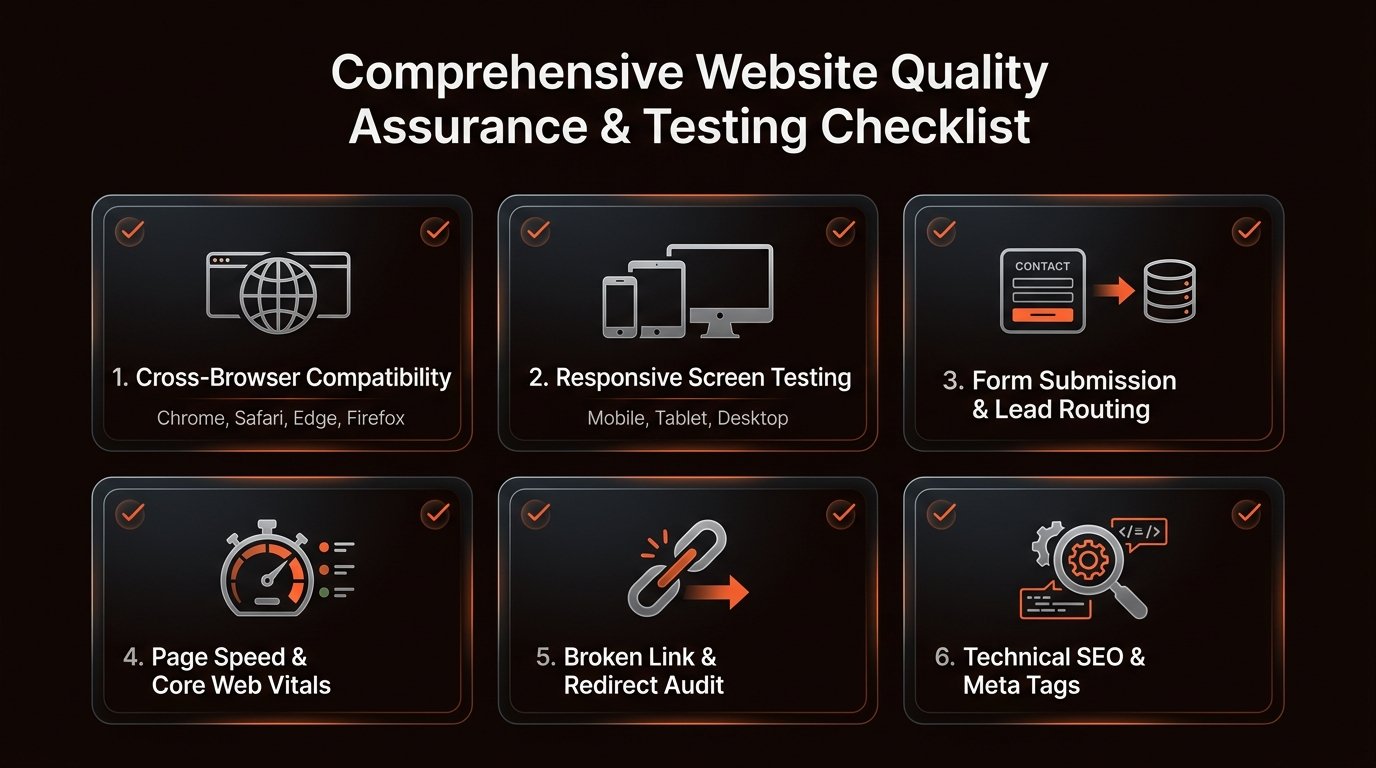
Crucial pre-launch checks include:
- Form submission tests: Sending test inquiries through every contact form to confirm messages reach your inbox without fail.
- Cross-browser compatibility: Verifying visual consistency across Google Chrome, Apple Safari, Microsoft Edge, and Mozilla Firefox.
- Link validation: Checking that every internal link, external link, and phone number trigger functions properly.
- Performance & Core Web Vitals: Compressing assets and testing page load speeds to ensure snappy rendering under 2 seconds.
- Security verification: Confirming SSL certificates (HTTPS) work without mixed-content warnings.
Step 10: Client Review
With testing complete, the developer presents the staging site for your official review.
This is your designated window to review the entire experience with fresh eyes. During this phase, you should:
- Check that your business address, phone numbers, and email addresses are 100% accurate.
- Read through your service descriptions and pricing notes.
- Test submitting the contact form yourself from your phone.
- Collate any minor copy tweaks or image swaps into one consolidated feedback document.
Handling revisions in structured rounds keeps communication clear and prevents unnecessary project delays.
Step 11: Launch the Website
Once you give final approval, launch day arrives! The developer handles the technical deployment:
- Domain DNS Configuration: Pointing your custom domain records (A Records, CNAMEs) from your registrar (like GoDaddy, Namecheap, or Google Domains) to the production hosting server.
- SSL Activation: Issuing and verifying the SSL certificate so visitors see the secure padlock icon.
- Google Search Console Setup: Submitting your official sitemap to Google for crawling and indexing.
- Live Verification: Conducting live smoke tests on production to confirm DNS propagation and ensure forms work on the live domain.
Step 12: Improve the Website After Launch
A website is not a static printed brochure that you print once and put in a drawer. It is an evolving digital sales asset.
After launch, the best businesses continue refining their site based on real customer feedback:
- Monitor user inquiries: Notice recurring questions from potential clients? Add them directly to your website FAQ.
- Add fresh social proof: Regularly add new 5-star testimonials and recently completed case studies.
- Expand topical content: Publish helpful blog articles addressing client doubts to build organic search authority over time.
- Review analytics: Track which pages get the most visits and where visitors spend their time to identify optimization opportunities.
What Does the Client Need to Provide?
Business owners often worry that they will not know what to prepare when hiring a web developer. To ensure your website project process runs smoothly, here is what your developer will typically need from you:
| Client Deliverable | Why It Is Needed | When to Provide |
|---|---|---|
| High-Res Logo Files | Vector (SVG) or high-resolution PNG files ensure your brand appears crisp on Retina screens. | Kickoff / Step 1 |
| Core Service Details | Clear explanations of what you offer, who it is for, and your primary customer benefits. | Planning / Step 4 |
| Business Photography | Authentic photos of your team, premises, or past work dramatically outperform stock images. | Planning / Step 4 |
| Client Testimonials | Real reviews and client quotes provide the social proof needed to convert hesitant visitors. | Planning / Step 4 |
| Domain Registrar Access | Access to your domain account (GoDaddy, Cloudflare, etc.) to configure DNS records on launch day. | Pre-Launch / Step 10 |
How Long Does Website Development Take?
One of the most common questions business owners ask is: "How long does it take to build a website?"
There is no honest one-size-fits-all answer, because the website development timeline depends heavily on project scope. For a standard 4-to-6 page small business website, the typical timeline ranges between 2 to 6 weeks from kickoff to live deployment.
The exact timing depends on these key variables:
- Number of pages: A focused one-page landing page can be completed in 7 to 10 days, while a 15-page corporate site requires several weeks.
- Content readiness: If you already have your copy, photos, and branding prepared, the project moves much faster.
- Design complexity: Custom interactive illustrations and unique layouts take longer than straightforward layouts.
- Custom features & integrations: Connecting CRM platforms, complex booking calendars, or payment gateways adds development time.
- Client feedback speed: Projects where the client reviews milestones within 24–48 hours finish substantially faster than projects with delayed feedback.
What Affects Website Development Cost?
Similarly, website development costs vary depending on the depth and requirements of your business. Reputable freelance developers and boutique studios do not use mystery pricing; costs are determined by clear scope factors:
- Scope and page count: How many unique page templates and content sections need to be custom designed?
- Copywriting assistance: Are you providing ready-to-use copy, or do you need the developer to research and write conversion copy from scratch?
- Platform choice: A modern visual platform like Framer or a headless custom static build has different maintenance and development needs than a complex WordPress setup.
- Third-party tools and licensing: Costs for custom domains, specialized plugins, CRM integrations, or premium hosting tiers.
- Technical depth: Custom animations, database filtering, search engines, or client portals require advanced engineering.
Common Website Development Mistakes
Understanding potential pitfalls helps you steer clear of them during your project:
- Mistake 1: Treating content as an afterthought. Waiting until design is finished to write copy almost always causes severe delays and forced layout compromises.
- Mistake 2: Designing by committee. Involving five different family members or colleagues with conflicting personal opinions dilutes your message and stalls momentum. Choose one primary project lead.
- Mistake 3: Overcomplicating Version 1. Trying to launch with dozens of features, calculators, and complex tools. It is much wiser to launch a clean, high-converting core website first and expand based on real visitor data.
- Mistake 4: Ignoring mobile experience. Reviewing the website only on desktop monitors and forgetting that most of your real customers will see it on their phones.
Website Launch Checklist
A reliable developer follows an explicit checklist before flipping the switch to public access:
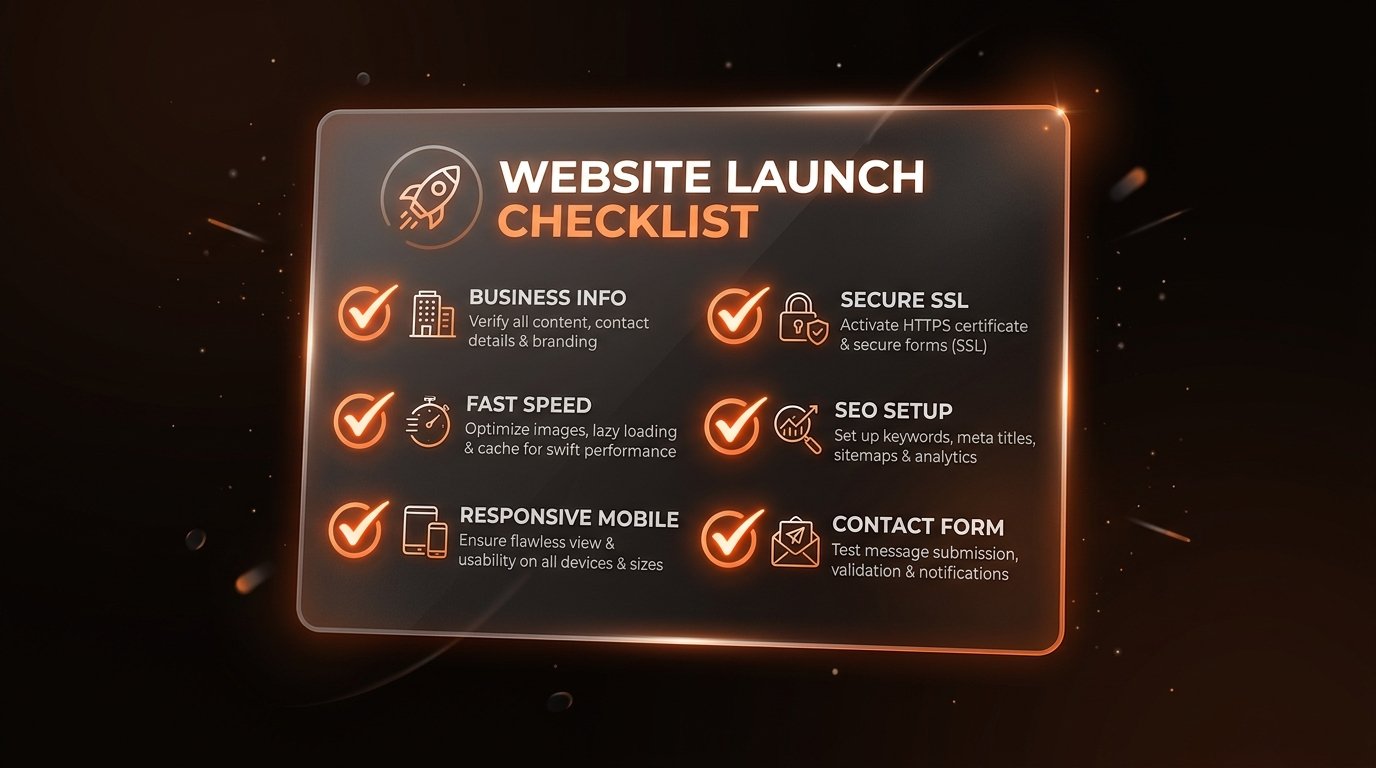
Pre-Launch Verification Summary
- ✓ Clear scope, sitemap, and approved design mockups
- ✓ All copy, headlines, and business hours proofread
- ✓ High-resolution logos and compressed web images
- ✓ Responsive testing across desktop, tablet, and mobile browsers
- ✓ Contact forms tested and test submissions received
- ✓ Page titles, meta descriptions, and Open Graph tags configured
- ✓ SSL certificate active with secure HTTPS routing
- ✓ Custom domain DNS records linked
- ✓ XML sitemap submitted to Google Search Console
Frequently Asked Questions
How long does the complete website development process take?
For most small-to-medium businesses, a custom website project takes between 2 to 4 weeks from kickoff to launch. More complex web applications or extensive catalogs may take 6 to 8 weeks depending on feedback cycles.
What do I need to prepare before starting website development?
Having a clear idea of your business goals, target audience, core service offerings, brand assets (logo, brand colors), and any existing copy or photography speeds up development significantly. If you lack copy or photos, your developer can guide you through structuring them.
What happens during the feedback and revision cycles?
During design and staging reviews, you receive private preview links to click through the site on mobile and desktop. You provide consolidated feedback on copy, imagery, and layout adjustments before the site is coded and launched publicly.
What happens after the website is launched?
Post-launch includes connecting your custom domain, submitting the XML sitemap to Google Search Console, testing live form submissions, and basic training on updating content. Continued maintenance or SEO optimization can also be arranged.
Final Takeaway
Building a website for your business does not have to be stressful, confusing, or unpredictable. When you follow a transparent 12-step website development process, every milestone has a clear purpose, every deliverable is defined, and launch day is something to celebrate.
If you are planning to build a new website or upgrade your existing digital presence, work with a partner who values clear communication, respect for your timeline, and clean execution.